
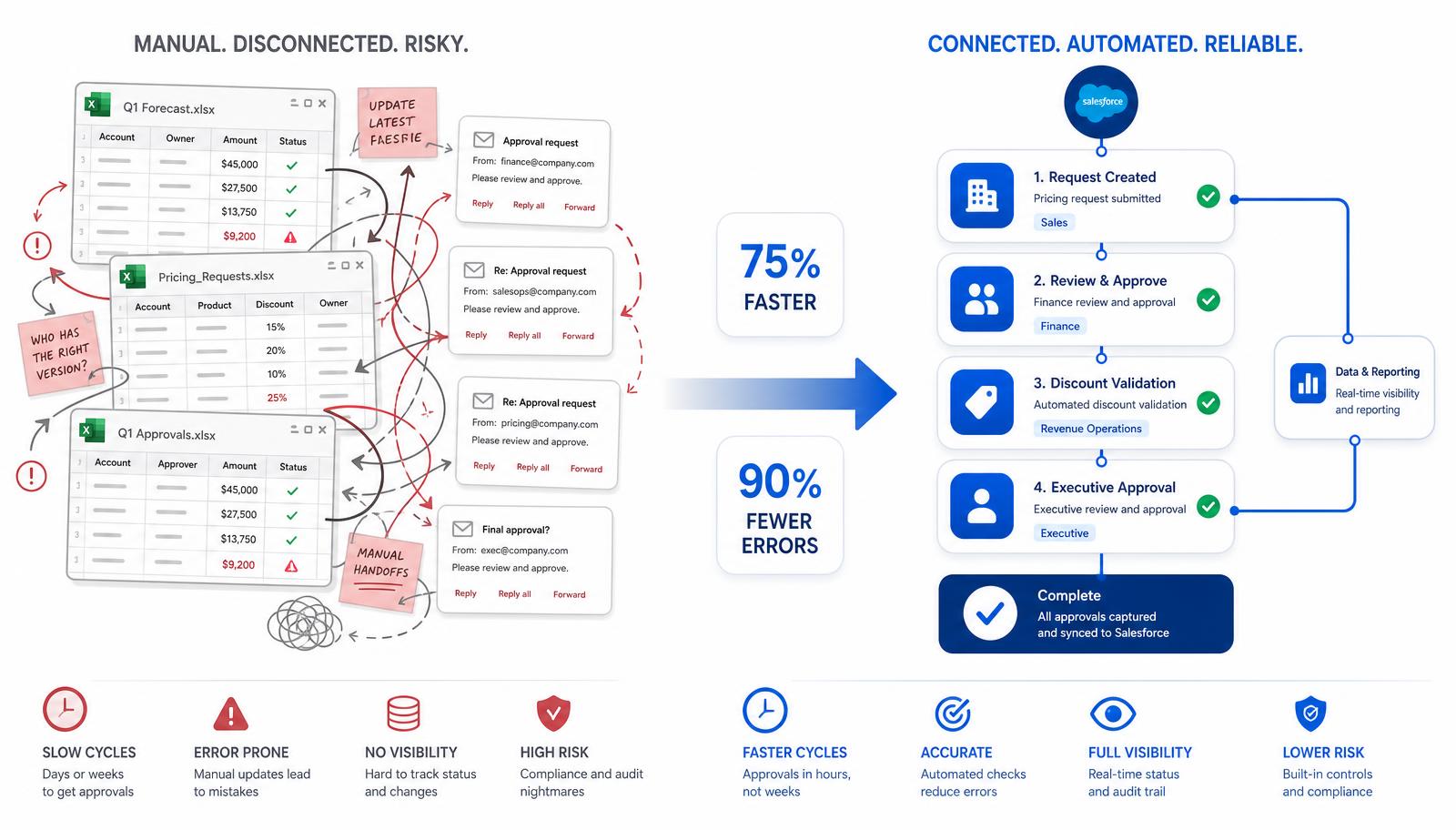
Your opportunities are in Salesforce. Your customers are in Salesforce. Your sales pipeline is in Salesforce. But when it's time to prepare a quote, someone opens Excel.
For simple quoting, that may be perfectly fine. But as pricing, approvals, resources, legal reviews, and multiple people become part of the process, the spreadsheet can quietly turn into the system actually running the deal.
iOPTIME encountered exactly this challenge while working with a cybersecurity consulting company whose complex service quotes were being managed through Excel. Multiple users created version issues, manual calculations increased pricing and margin risk, sales teams re-entered data across Excel, email, and Salesforce, and approvals and legal reviews were largely manual.
The Result
75%
faster quote generation
90%
fewer manual data-entry errors
The Problem Wasn't Excel. It Was the Process Around It.
Excel is excellent for calculations. The problem starts when a spreadsheet becomes responsible for much more than calculations. In this case, the quoting process involved pricing, margins, resources, approvals, different deal structures, proposals, contracts, and coordination between multiple teams. Salesforce contained the customer and sales information, while a critical part of the actual sales process was happening somewhere else.
Opportunity
Customer and deal data already live in Salesforce.
Scoping & Pricing
Custom LWC handles proposals, resources, rate cards, and pricing.
Approvals
Revenue, territory, role, and deal structure determine approval paths.
Proposal & Contract
Document generation, e-signature, and legal workflow stay connected.
How iOPTIME Automated a Complex Excel Quoting Process in Salesforce
iOPTIME built a custom Lightning Web Component (LWC) application for scoping and quoting. Sales teams could manage proposals, pricing, and resources directly within Salesforce rather than moving between Salesforce and spreadsheets. Rate cards were integrated into the process, and the solution supported multi-tier proposals and more complex hybrid deals.
The iOPTIME Salesforce Team Automated the Decisions Around the Quote
Creating the quote was only one part of the problem. Different deals required different levels of approval. The iOPTIME Salesforce team designed approval workflows around revenue, territory, role, and deal structure. The solution also supported multi-year and hybrid deal approvals, delegated approvers, and one-click or mass approvals. Revenue tiers were incorporated into pricing and approval decisions.
Connecting the Documents That Come After the Quote
A quote rarely ends with pricing. Proposals need to be generated. Contracts need to be reviewed. Documents need to be signed. The solution connected Salesforce with document and contract tools including Conga, DocuSign, and Ironclad. This introduced better version control, multi-tier approvals, and compliance monitoring while reducing document preparation time from hours to minutes.
What Changed?
75%
Faster quote generation
90%
Reduction in manual data-entry errors
Hours → Minutes
Quoting and legal documentation turnaround
Full
Audit trail, version control, pricing and margin accuracy
Quoting and legal documentation was reduced from hours to minutes, with pricing accuracy, margin control, and a complete audit trail built into the same workflow the sales team already used every day.
Does Every Excel Quoting Process Need This?
No. If your quotes are simple and Excel is only being used for occasional calculations, custom development may add unnecessary complexity. Salesforce's standard quoting capabilities should be considered first. But if teams constantly copy data between Salesforce and spreadsheets, manage multiple quote versions, calculate complex pricing manually, chase approvals through email, or struggle to see where a quote is stuck, a critical part of the sales process may be operating outside the CRM.
“Is Salesforce actually running your sales process — or is it simply recording what happened after the real work was done somewhere else?”